




Live Chat

Domain Scan

(empty)

Login

WordPress Guide: How to Change Your WordPress Login URL
(28-jun-2025)
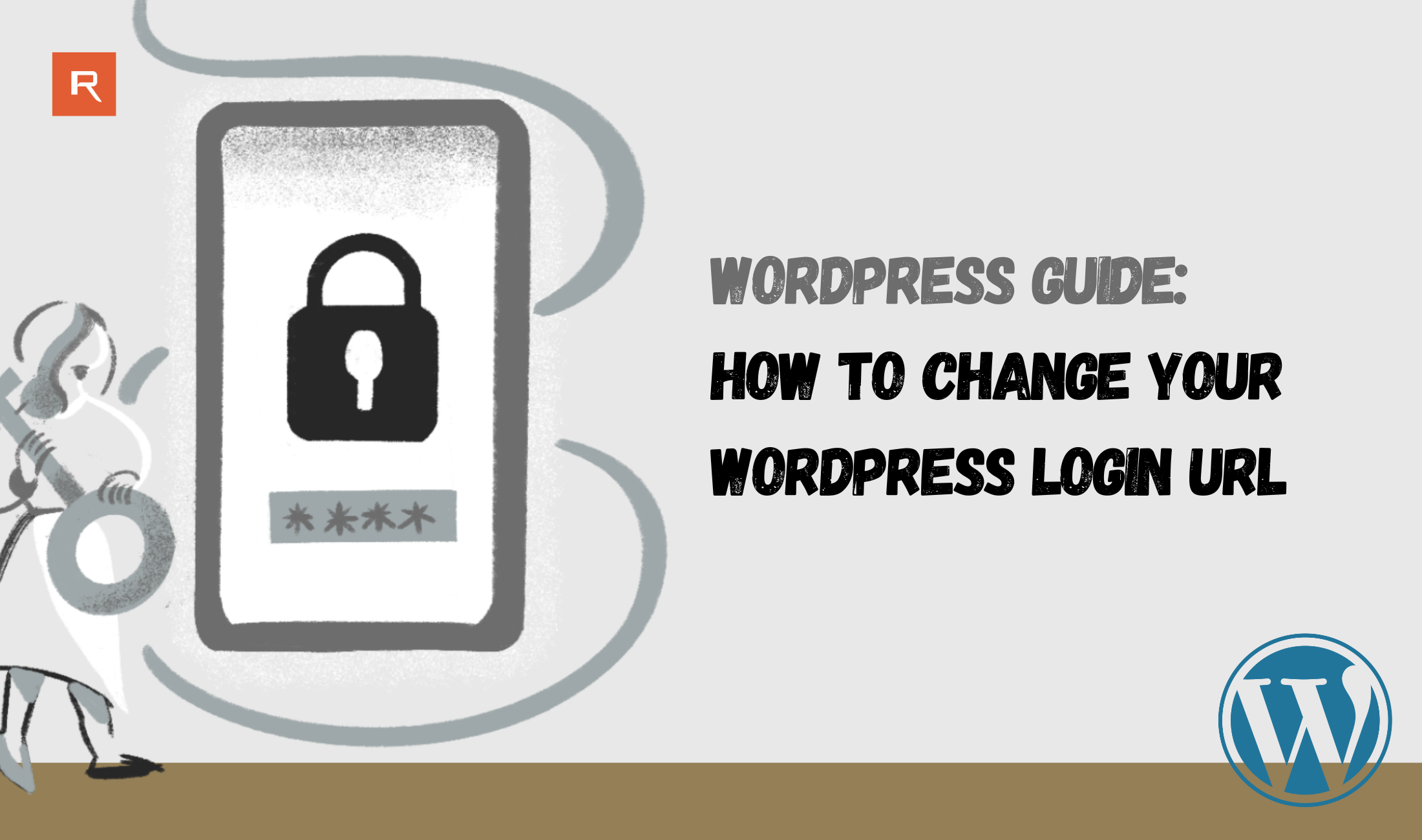
When you install WordPress, the default login URL is typically
yourdomain.com/wp-login.php or yourdomain.com/wp-admin. While that's convenient, it's also widely known-making it a common target for bots and brute-force attacks.
Changing your WordPress login URL is a simple yet effective way to improve your website's security. In this guide, we'll show you how to do it safely using the popular WPS Hide Login plugin.
Why Change the WordPress Login URL?
Hackers often attempt to access WordPress sites by targeting the login page. Changing this URL can:
- Reduce brute-force attack attempts.
- Hide the login page from automated bots.
- Minimize unauthorized login notifications.
- Add an extra layer of protection without affecting your core WordPress files.
Step-by-Step Guide Using WPS Hide Login
Step 1: Log in to Your WordPress Dashboard
Go to yourdomain.com/wp-admin and enter your credentials to access the backend.
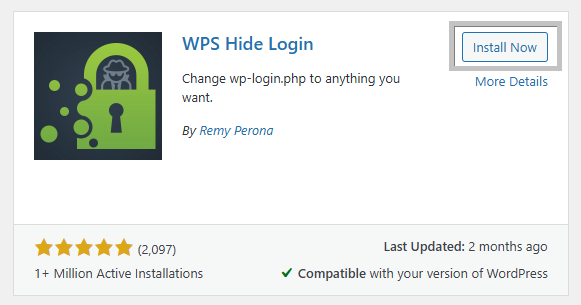
Step 2: Install the WPS Hide Login Plugin
- In the left sidebar, click on Plugins > Add New.
- Search for WPS Hide Login.
- Click Install Now, then click Activate once the plugin is installed.
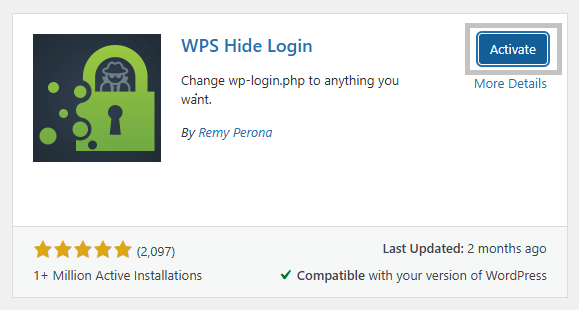
Step 3: Change the Login URL
- After activation, go to Settings > General.
- Scroll down to the bottom of the page.
- You'll find a new field labeled Login URL.
- Enter a custom login slug (e.g., mysecurelogin, adminpanel, or anything you like).
- Your new login page will now be
yourdomain.com/mysecurelogin.
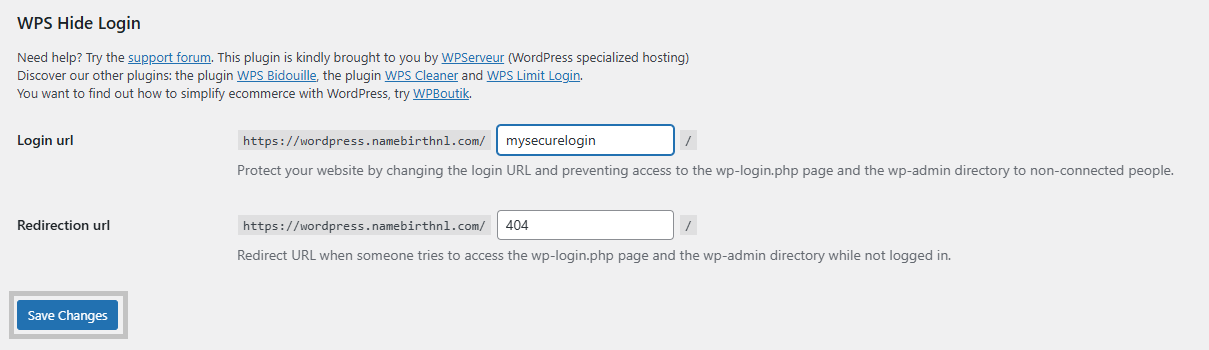
- Your new login page will now be
- Click Save Changes.
Note: After saving, the old login URLs (
/wp-login.php and /wp-admin) will return a 404 error, effectively hiding them from unwanted visitors.
Important Tips
- Bookmark your new login URL! If you forget it, you won't be able to access your dashboard easily.
- If the plugin is deactivated or deleted, WordPress will revert to the default login URLs.
- Avoid using obvious slugs like
/login123or/adminlogin-these are still easy to guess.
Don't make it easy for hackers-customize your login URL now.
 Written by: Register.lk Support Hero - Yusuf

 31-Aug-2026
 07-Aug-2026
 28-May-2026
Safe & Secure Payments Accepted via: