






Live Chat

Domain Scan

(empty)

Login

Why You Should Enable Two Factor Authentication for Your Accounts
(29-jan-2026)
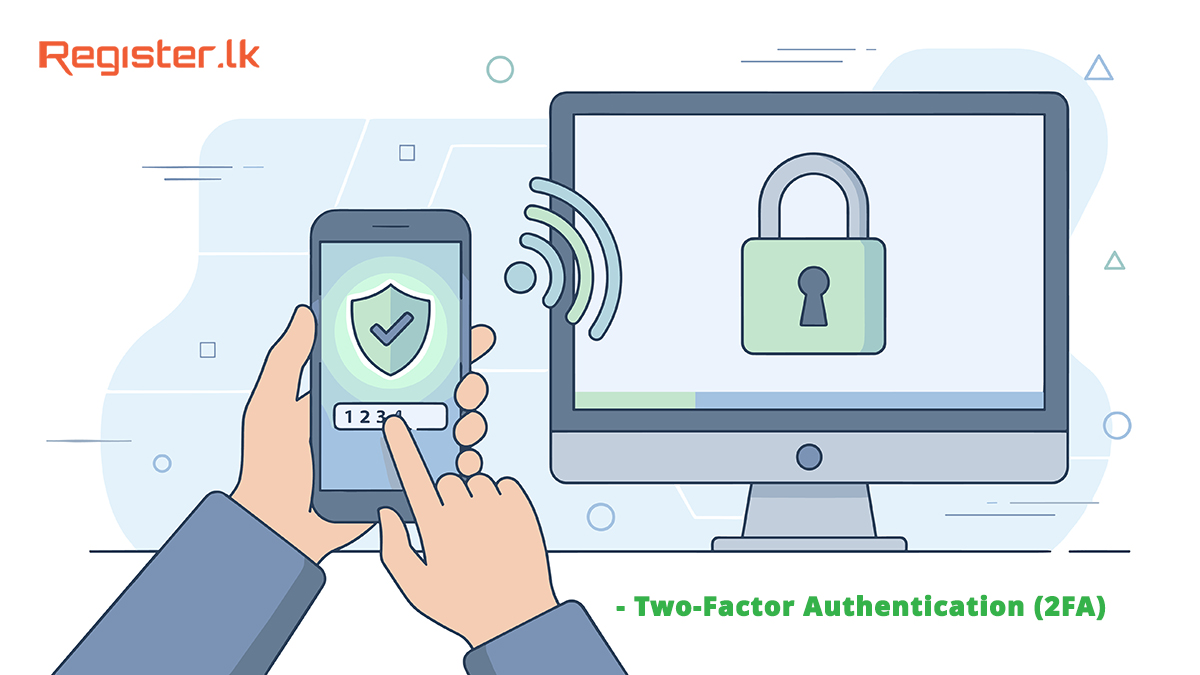
In today's digital world, a username and password alone are no longer enough to protect your online accounts. Cyber-attacks, leaked passwords, and brute-force login attempts are more common than ever-especially for hosting, domain, and email accounts.
That's where Two-Factor Authentication (2FA) comes in. Enabling 2FA adds a powerful extra layer of security to your Register.lk account, cPanel, and Webmail, keeping your data and services safe.
What is Two-Factor Authentication (2FA)?
Two-Factor Authentication (2FA) is an additional security layer designed to protect online accounts by requiring more than just a username and password to log in. Traditionally, access to an account depended on a single factor-something you know, such as a password. However, passwords can be guessed, stolen through phishing, leaked in data breaches, or reused across multiple platforms. 2FA strengthens account security by introducing a second verification step, usually something you physically possess, like your mobile phone. This means that even if an attacker manages to obtain your password, they still cannot access your account without the second factor, making unauthorized access extremely difficult.Why is Two Factor Authentication Important?
At Register.lk, hosting packages are protected by multiple layers of server-level security, including firewalls, intrusion prevention systems, continuous monitoring, and malware protection. These measures are designed to safeguard the infrastructure and ensure a secure hosting environment for all customers. However, even the strongest server-side security cannot fully protect a hosting account if the user login credentials are compromised.In most real-world incidents, attackers do not break into hosting accounts directly. Instead, they gain access by exploiting weak, reused, or leaked passwords on user accounts. When a user account is accessed legitimately using stolen credentials, server-level protections may not detect it as an attack. This can allow unauthorized changes to websites, email accounts, and hosting settings, despite the presence of strong backend security controls.
By enabling Two-Factor Authentication, users add a critical security layer that works alongside Register.lk's server protections. 2FA ensures that access to hosting services requires not only a password but also verification through a trusted mobile device. This closes a major security gap and allows Register.lk's advanced security systems to be fully effective, helping to keep your hosting packages, websites, and email services secure.
How Two Factor Authentication Works
When Two-Factor Authentication is enabled, the login process includes an extra verification step after entering your username and password. Once the correct password is provided, the system prompts you to enter a temporary verification code. This code is generated by a 2FA application installed on your mobile device and changes every few seconds, making it nearly impossible to reuse or predict. The most commonly used method is Time-Based One-Time Passwords (TOTP), where the code is mathematically generated based on time and a shared secret key. For this purpose, apps like Google Authenticator are highly recommended due to their reliability, simplicity, and offline functionality. These apps securely generate verification codes even without an internet connection, ensuring you can access your accounts whenever needed while maintaining a high level of security.How to enable Two Factor Authentication for your Accounts
- Log in to your Register.lk Account
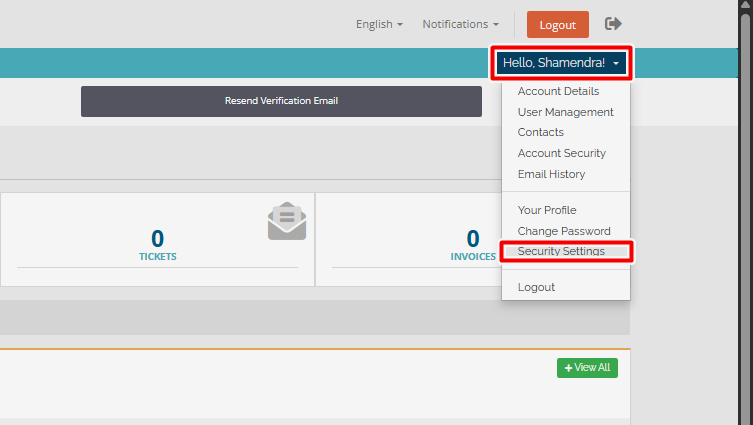
- Click the dropdown menu showing "Hello, username"
- Go to Security Settings
- Under Two-Factor Authentication, click the green "Click here to enable" button
- Select Time-Based Tokens
- Click Get Started
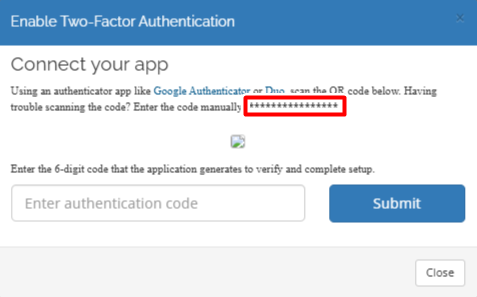
- Open your 2FA app (Google Authenticator) on your mobile device
- Enter the manual code shown on the screen into the app
- Once the app generates a code, enter that 6-digit authentication code
- Click Submit
That's it! Your Register.lk account is now protected with Two Factor Authentication.
- Log in to cPanel
- Search for or click Two-Factor Authentication
- Click Set Up Two-Factor Authentication
- Open Google Authenticator on your phone
- Scan the QR code or enter the manual key
- Enter the 6-digit code generated by the app
- Click Configure Two-Factor Authentication
Two Factor Authentication is now active for your cPanel login.
- Log in to your Webmail account
- Click on "Webmail Home"
- Navigate to "Two-Factor Authentication"
- Click on "Set Up Two-Factor Authentication"
- Open Google Authenticator on your phone
- Scan the QR code or enter the manual key
- Enter the 6-digit code generated by the app
- Click on "Configure Two-Factor Authentication"
Your email account is now much more secure.
Final Thoughts
In a time where cyber threats are becoming more advanced and increasingly common, relying solely on a password is no longer enough to keep your accounts secure. Two-Factor Authentication provides a simple yet highly effective way to protect your digital assets by adding an extra layer of verification that only you can access. Whether it is your account management portal, hosting control panel, or business email, enabling 2FA greatly reduces the risk of unauthorized access, data breaches, and service disruptions. It requires only a few minutes to set up, but the security benefits it offers are long-term and significant, especially for accounts that control websites, domains, and sensitive communications.A small step like enabling Two Factor Authentication today can prevent major security incidents tomorrow, secure your accounts now and stay one step ahead of threats.
 Written by: Register.lk Support Hero - Shamendra


 28-May-2026
 26-May-2026
 05-May-2026
Safe & Secure Payments Accepted via: